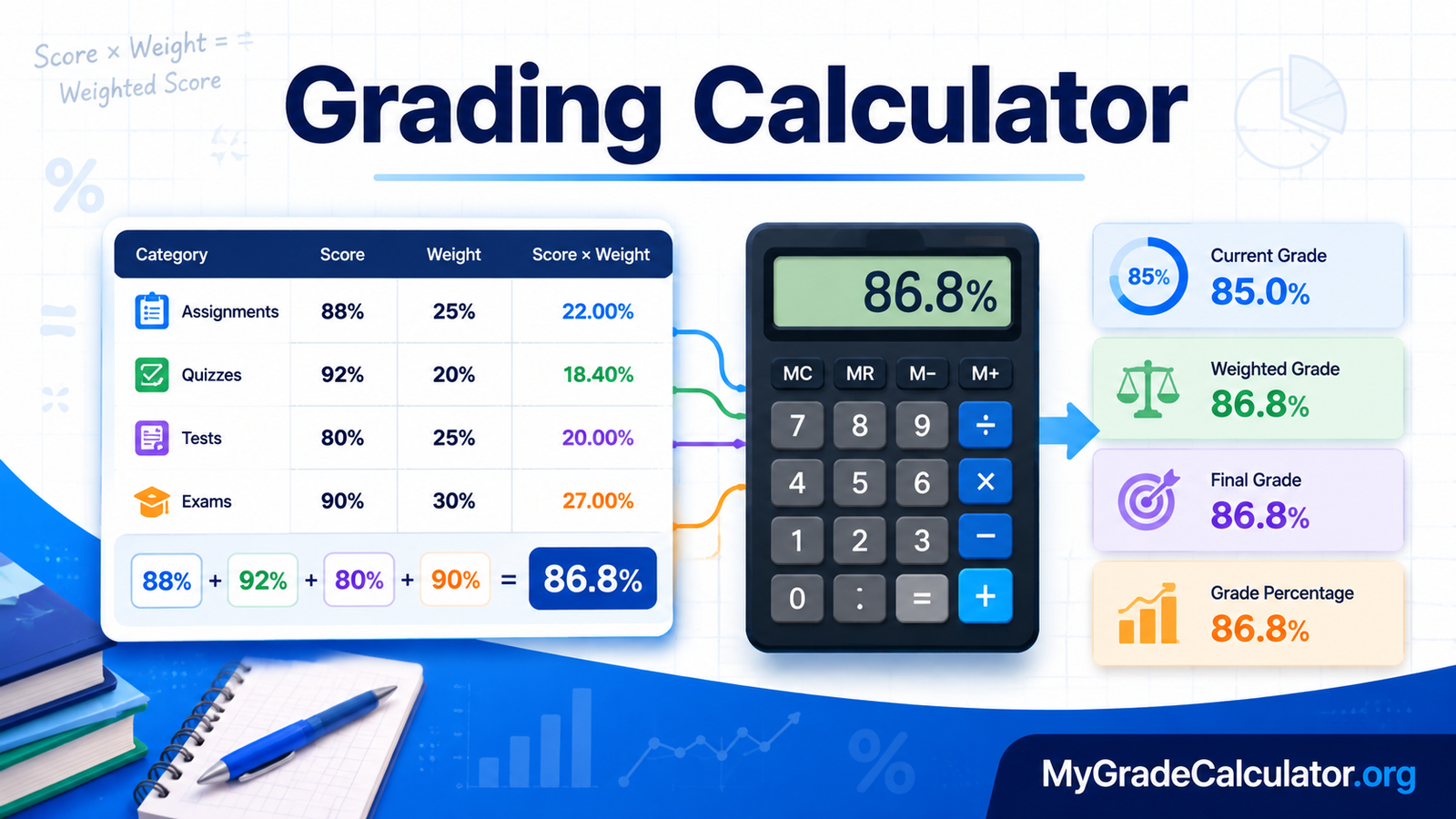
A grading calculator helps students calculate their course grade from assignment, quiz, test, midterm, and exam scores. It is especially useful when assessments have different weights because a weighted calculation gives each score the appropriate influence on the overall result. Instead of calculating everything manually, you can enter your grades and their weights to quickly estimate your current or final course grade.
A grading calculator can also help answer practical questions such as: What is my current grade? What will my final grade be if I score 90% on the exam? What grade do I need on my final to reach an 85% overall? The exact calculation depends on how your school or instructor structures the course.
What Is a Grading Calculator?
Moreover, a grading calculator is an academic tool used to calculate or estimate a student’s grade from known scores and grading criteria.
Courses commonly contain several components, such as:
- Homework and assignments
- Quizzes
- Projects
- Class participation
- Tests
- Midterm examinations
- Final examinations
These components may not all have the same importance. For example, homework might represent 20% of the course grade while a final exam represents 40%.
Moreover, in that situation, simply averaging the individual percentages would not produce the correct weighted course grade. Each score must be combined with its assigned weight.
A calculator can perform this process automatically and show the resulting percentage. It can also be used for what-if calculations, allowing students to see how a future test or exam score could affect their overall grade.
How Does a Grading Calculator Work?
Most weighted course-grade calculations follow the same basic principle:
Multiply each score by its weight, add the weighted results, and divide by the total weight being considered.
The general formula is:
Weighted Grade = Σ(Score × Weight) ÷ Σ(Weight)
When weights are expressed as percentages, convert them to decimals before using the formula.
For example:
- 20% becomes 0.20
- 30% becomes 0.30
- 40% becomes 0.40
- 50% becomes 0.50
Calculator Soup describes the same weighted-average process: convert each percentage weight to a decimal, multiply each grade by its weight, add the weighted products, and divide by the sum of the weights.
What Information Do You Need?
Before calculating a course grade, gather:
- Your score for each completed assessment.
- The weight assigned to each assessment or category.
- The grading scale used by your course, if you want to convert the percentage to a letter grade.
- The weight and expected score of any remaining assessment if you want to estimate a final grade.
If your instructor uses a points-based system instead of weighted categories, you may need the points earned and total possible points instead.
Grading Calculator Formula
The basic weighted-grade formula is:
G = Σ(S × W) ÷ ΣW
Where:
- G = calculated grade
- S = score for an assessment
- W = weight of that assessment
- Σ = sum of the values
If all course weights add to 100%, the denominator will be 1 when weights are entered as decimals.
For example, consider a course with:
| Assessment | Score | Weight |
| Assignments | 88% | 20% |
| Quizzes | 92% | 10% |
| Midterm | 80% | 30% |
| Final Exam | 90% | 40% |
The calculation is:
(88 × 0.20) + (92 × 0.10) + (80 × 0.30) + (90 × 0.40)
= 17.6 + 9.2 + 24 + 36
= 86.8%
The student’s calculated course grade would therefore be 86.8%, assuming these are the complete course components and the weights accurately represent the instructor’s grading policy.
How to Calculate a Grade Step by Step
You can calculate a weighted course grade manually in a few steps.
Step 1: List Your Scores
Write down every completed assessment and the percentage you earned.
For example:
- Assignment: 88%
- Quiz: 92%
- Midterm: 80%
- Final exam: 90%
Step 2: Find the Weight of Each Assessment
Check your syllabus or learning platform to determine how much each component contributes to the course.
For example:
- Assignments: 20%
- Quizzes: 10%
- Midterm: 30%
- Final exam: 40%
The weights total 100%.
Step 3: Convert the Weights to Decimals
Divide each percentage weight by 100:
- 20% = 0.20
- 10% = 0.10
- 30% = 0.30
- 40% = 0.40
Step 4: Multiply Each Score by Its Weight
Calculate each weighted contribution:
| Assessment | Score | Weight | Weighted Contribution |
| Assignments | 88% | 0.20 | 17.60 |
| Quizzes | 92% | 0.10 | 9.20 |
| Midterm | 80% | 0.30 | 24.00 |
| Final Exam | 90% | 0.40 | 36.00 |
| Total | 1.00 | 86.80 |
Step 5: Add the Contributions
17.60 + 9.20 + 24.00 + 36.00 = 86.80
So the calculated course grade is 86.8%.
How to Calculate Your Current Grade
You do not always need to wait until the end of the semester to calculate your grade.
Suppose a course has these completed components:
- Assignments: 90%, worth 20%
- Quizzes: 85%, worth 10%
- Midterm: 80%, worth 30%
The completed work represents 60% of the course.
Calculate the weighted contributions:
90 × 0.20 = 18
85 × 0.10 = 8.5
80 × 0.30 = 24
Add them:
18 + 8.5 + 24 = 50.5
Because only 60% of the course has been graded, divide by 0.60:
50.5 ÷ 0.60 = 84.17%
Your current weighted average for the completed portion is therefore approximately 84.17%.
This distinction matters. A current grade based on completed work is not necessarily the same as the final course grade. Calculator Soup also notes that a weighted-grade calculation can be performed during the semester using only assessments that have already been graded.
How to Calculate the Grade You Need on a Final Exam
One of the most useful applications is determining the score needed on a final exam to reach a target course grade.
The formula is:
F = [G − (1 − W)C] ÷ W
Where:
- F = required final-exam score
- G = desired overall course grade
- C = current course grade before the final
- W = final-exam weight expressed as a decimal
For example, imagine:
- Current grade = 85%
- Desired final course grade = 90%
- Final exam weight = 40%
Convert 40% to 0.40.
Then:
F = [90 − (1 − 0.40)(85)] ÷ 0.40
F = [90 − (0.60 × 85)] ÷ 0.40
F = [90 − 51] ÷ 0.40
F = 39 ÷ 0.40
F = 97.5%
Moreover, the student would need 97.5% on the final exam to finish the course with a 90%, assuming the current grade represents the other 60% of the course.
The same relationship is used by final-grade calculation tools to determine the score needed to reach a target grade.
How to Calculate Your Final Course Grade
If you already know your final-exam score, you can calculate its effect on your overall grade.
The formula is:
G = (C × (1 − W)) + (F × W)
Where:
- G = final course grade
- C = current grade before the final
- F = final-exam score
- W = final-exam weight as a decimal
Suppose:
- Current grade = 85%
- Final exam = 90%
- Final exam weight = 40%
Then:
G = (85 × 0.60) + (90 × 0.40)
G = 51 + 36
G = 87%
The resulting course grade would be 87%.
Points-Based Grading vs. Weighted Grading
Not every course uses weighted percentages.
Some instructors calculate grades based on total points earned.
The basic points formula is:
Percentage Grade = (Points Earned ÷ Points Possible) × 100
For example, if you earn 425 points out of 500:
(425 ÷ 500) × 100 = 85%
Your percentage grade is 85%.
This method differs from a weighted course in which categories such as assignments, tests, and exams have predetermined percentages.
Before calculating your grade, determine which system your instructor uses. A calculator designed for weighted grades should not automatically be used as though every course were points-based.
Weighted Grades and Category Averages
Some courses use categories rather than assigning a separate weight to every individual assignment.
For example:
| Category | Category Average | Course Weight |
| Homework | 90% | 25% |
| Quizzes | 84% | 15% |
| Tests | 88% | 35% |
| Final Exam | 92% | 25% |
The category averages are then combined according to their course weights.
This approach is different from simply averaging every assignment in the class. If the syllabus says tests account for 35% of the course, the test category should have that influence even if there are fewer tests than homework assignments.
How to Use a Grading Calculator
Using an online calculator can save time and reduce arithmetic mistakes.
A typical process is:
- Enter each completed grade.
- Enter the corresponding weight or points.
- Check that the information matches your syllabus.
- Add any remaining assessment if the calculator supports what-if scenarios.
- Review the calculated percentage.
- Compare the result with your institution’s grading scale.
- Use the result to plan your remaining coursework.
For example, a student approaching final exams can enter current grades and test different possible exam scores. This can show how much a future assessment could change the overall grade.
Grading Scale: Percentage to Letter Grade
After calculating a percentage, you may want to determine the corresponding letter grade.
However, there is no universal grading scale that every school and university follows. Institutions can use different percentage boundaries and different quality-point systems.
For example, the University of Cincinnati’s undergraduate grading system assigns quality points such as 4.0000 for A, 3.0000 for B, 2.0000 for B-, and 0.0000 for F.
That does not mean every institution uses exactly the same scale.
Therefore, use the grading scale published by your own school, instructor, college, or university when converting a percentage into a letter grade.
Grading Calculator vs. GPA Calculator
A grading calculator and GPA calculator solve different problems.
| Tool | Main Purpose |
| Grading Calculator | Calculates a course grade from assessments |
| Weighted Grade Calculator | Calculates grades when components have different weights |
| Final Grade Calculator | Determines a final course grade or required final score |
| GPA Calculator | Calculates grade-point average across courses |
| Grade Percentage Calculator | Converts points or scores into percentages |
A GPA calculation usually involves course credits and grade points rather than individual assignment scores. For example, the University of Cincinnati explains GPA calculation by dividing total quality points by total credit hours.
If you need to know how one class is progressing, use a course-grade calculation. If you need to calculate your academic average across multiple courses, a GPA calculator is more appropriate.
When Should Students Use a Grading Calculator?
A grade calculator can be useful throughout the academic term, not just before final exams.
At the beginning of a course
Moreover, students can enter their expected grades and weights to understand how different assessments could affect the final result.
During the semester
Students can calculate their current weighted average and identify subjects where improvement may have the greatest effect.
Before an exam
A student can determine what score may be necessary to achieve a specific target grade.
After an exam
Students can enter the new score to estimate the updated course grade.
Before final grades are posted
Students can independently check their calculation against the grading rules provided by the instructor.
Common Grading Calculation Mistakes
Even simple calculations can produce incorrect results if the wrong information is entered.
1. Ignoring assessment weights
A 90% on a small assignment does not necessarily have the same impact as a 90% on a final exam.
2. Averaging everything equally
If assessments have different weights, adding all percentages and dividing by the number of assessments can give the wrong answer.
3. Confusing points with percentages
A score of 40 points does not automatically mean 40%. You need to know the number of possible points.
4. Using the wrong grading scale
Your calculated percentage may be correct while the letter-grade conversion is wrong if you use a grading scale from another school.
5. Forgetting an assessment
Leaving out an assignment, test, or project can change the result significantly.
6. Rounding too early
Keep enough decimal places during intermediate calculations and round the final result according to your course’s rules.
7. Confusing current and final grades
A current grade based on completed assessments does not necessarily represent the final course grade.
8. Assuming every school calculates grades the same way
Course policies differ. Some classes use weighted categories, while others use total points, special grading schemes, curves, extra credit, or other rules.
How Accurate Is a Grading Calculator?
The arithmetic performed by a calculator can be accurate, but the final result is only as reliable as the information entered.
For an accurate calculation, verify:
- Your individual scores
- Assessment weights
- Category weights
- Total possible points
- Extra-credit rules
- Dropped-score policies
- Rounding rules
- Your school’s grading scale
If your instructor’s syllabus says that an assessment is worth 25%, enter 25%, not an assumed value.
Also remember that an online calculator generally cannot know special rules in your instructor’s gradebook unless you provide them. When your school’s official grade differs from your calculation, check the syllabus and ask your instructor how the grade was determined.
Key Takeaways
A grading calculator makes course-grade calculations easier by combining scores according to the grading method used by a class.
The most important points are:
- Weighted grades give different assessments different levels of importance.
- The general weighted formula is Σ(Score × Weight) ÷ ΣWeight.
- Points-based grades can be calculated with Points Earned ÷ Points Possible × 100.
- Current grades and final grades are not always the same.
- You can calculate the score needed on a final exam when you know your current grade, target grade, and final-exam weight.
- Letter-grade scales vary between institutions.
- Always use the grading rules supplied by your instructor or school.
- Checking your inputs is just as important as performing the arithmetic.
Frequently Asked Questions
How do you calculate a weighted grade?
Multiply each assessment score by its decimal weight, add the weighted results, and divide by the total weight being considered. If all course weights total 100%, the result is the weighted course percentage.
What formula is used to calculate a grade?
For weighted assessments, the general formula is Weighted Grade = Σ(Score × Weight) ÷ ΣWeight. The appropriate formula can vary when a course uses points, category averages, or another grading system.
Can I calculate my current grade before the semester ends?
Yes. You can calculate a current weighted average using the assessments that have already been graded. Remember that this may not be the same as your eventual final course grade.
How can I calculate what grade I need on my final?
You need your current grade, desired overall grade, and final-exam weight. The required score can be calculated with F = [G − (1 − W)C] ÷ W.
Can a grading calculator be used for weighted grades?
Yes. Weighted-grade calculations are one of the main uses of a grading calculator. Enter each score together with the appropriate weight.
Can I use a grading calculator for college?
Yes, provided the calculation matches your college course’s grading policy. College courses may use weighted categories, total points, letter grades, or other grading methods.
Final Thoughts
Moreover, calculating grades does not have to involve complicated arithmetic. Once you know your scores and understand how your instructor weights each assessment, you can determine your current average, estimate your final course grade, or work backward to find the score required to reach a target.
A grading calculator is especially helpful when a course contains assignments, quizzes, tests, projects, and exams with different weights. It can turn those individual results into a clear overall percentage and help you make better academic decisions.
For the most reliable result, always enter the grading information exactly as provided by your instructor and use your institution’s official grading scale when converting the final percentage into a letter grade.