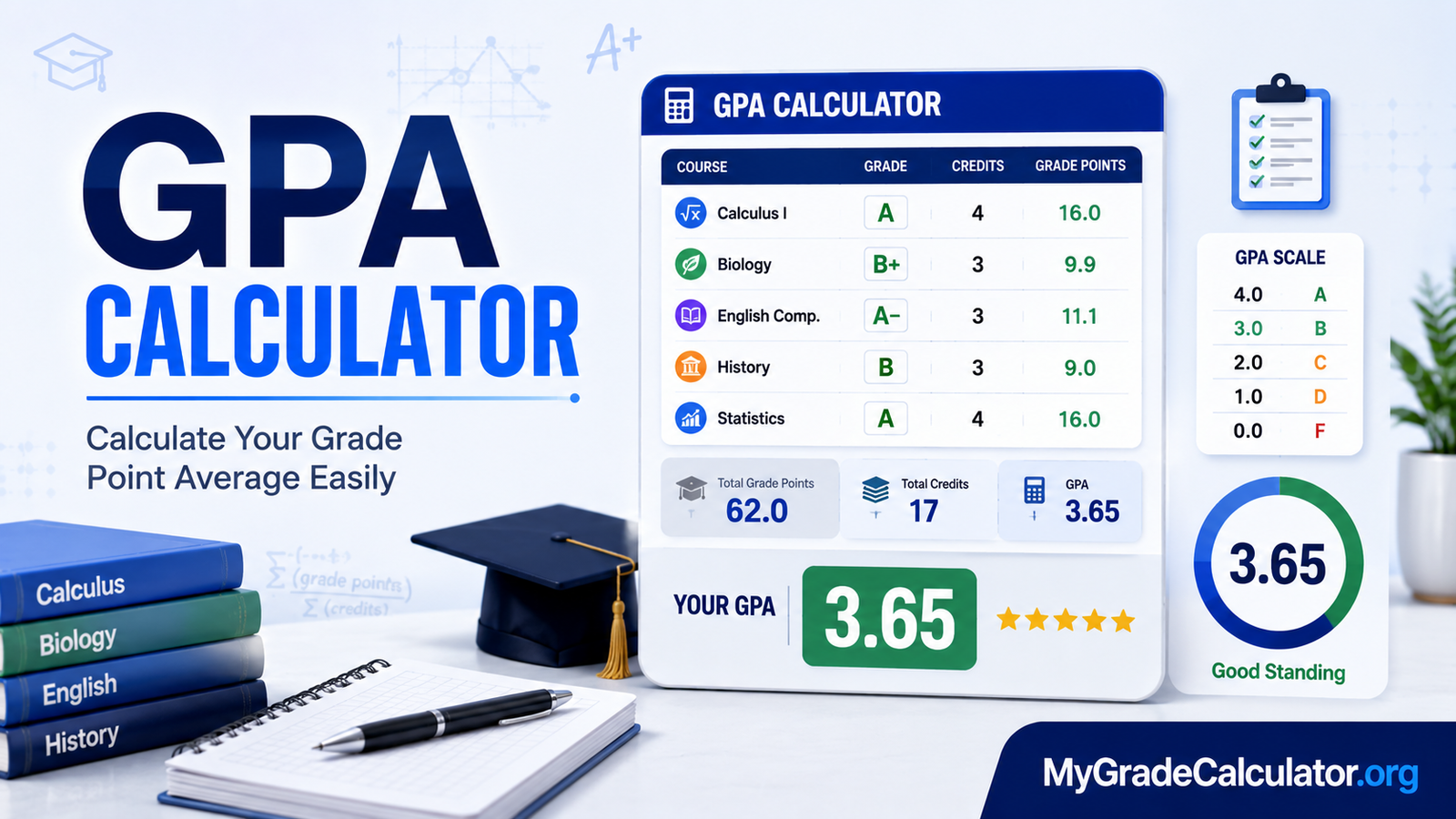
A GPA calculator is an academic tool that calculates your Grade Point Average (GPA) from the grades and credit hours associated with your courses.
Instead of manually multiplying every grade point by its credit hours and performing the final division, you can enter your course information into a calculator and obtain the result quickly.
A GPA calculator can be useful when you want to:
- Calculate your GPA for a semester
- Check your academic performance
- Calculate a cumulative GPA or CGPA
- Estimate how new grades could affect your average
- Compare your current performance with an academic target
- Understand how credit hours affect your GPA
- Check a manually calculated GPA
The important point is that GPA is generally credit-weighted. A 4-credit course does not necessarily have the same effect on your GPA as a 1-credit course because the grade point is multiplied by the number of credit hours.
For example, the University of Illinois explains that students calculate quality points by multiplying the grade points for a course by its credit hours, adding the quality points, and then dividing by the applicable GPA hours.
How Does a GPA Calculator Work?
A GPA calculator follows the same basic mathematical process used in institutional GPA calculations.
For each course, you need two main pieces of information:
- Grade point
- Credit hours
The calculator multiplies these values to determine the course’s quality points.
Basic GPA Formula
GPA = Σ(Grade Point × Credit Hours) ÷ Σ(Credit Hours)
Here:
- Grade Point = numerical value assigned to your letter grade
- Credit Hours = number of credits assigned to the course
- Σ = sum or total of the values
- Quality Points = Grade Point × Credit Hours
The HEC’s examination policy guidelines describe semester GPA using the same basic relationship: the sum of course credit hours multiplied by grade points, divided by the total semester credit hours.
Simple GPA Example
Suppose a student takes three courses:
| Course | Grade Point | Credit Hours | Quality Points |
| Mathematics | 4.00 | 3 | 12.00 |
| English | 3.00 | 3 | 9.00 |
| Computer Science | 3.50 | 4 | 14.00 |
| Total | — | 10 | 35.00 |
Now calculate:
GPA = 35.00 ÷ 10
GPA = 3.50
The student’s GPA for these courses is 3.50.
This illustrates why simply averaging the three grade points—4.00, 3.00, and 3.50—can sometimes be misleading. The courses do not all have the same credit value.
How to Calculate GPA Step by Step
You can calculate your GPA manually if you know your grade points and credit hours.
Step 1: List Your Courses
Start with every course that should be included in the GPA calculation.
For each course, record:
- Course name
- Letter grade
- Grade point
- Credit hours
Your transcript or official academic record is usually the best place to obtain this information.
Step 2: Find the Grade Point for Each Course
Convert each letter grade into the grade-point value used by your institution.
For example, one institution may assign:
| Letter Grade | Example Grade Point |
| A | 4.00 |
| B | 3.00 |
| C | 2.00 |
| D | 1.00 |
| F | 0.00 |
However, this is only a simplified example. Many institutions use plus and minus grades, such as A-, B+, or C+, and their exact values may differ.
For this reason, you should not assume that every university uses the same letter-grade conversion table.
For example, the University of Sargodha publishes a detailed grading table in which individual percentage marks correspond to specific grade points, while the University of Punjab provides its own semester rules and grade-point calculations.
Step 3: Multiply Grade Points by Credit Hours
For every course, calculate:
Grade Point × Credit Hours = Quality Points
Suppose you receive a 3.20 grade point in a 3-credit course:
3.20 × 3 = 9.60
Your course contributes 9.60 quality points.
The University of Sindh describes the same process, using quality points calculated by multiplying the grade point by the course’s credit hours.
Step 4: Add All Quality Points
After calculating the quality points for every applicable course, add them together.
For example:
- Course 1 = 12.00
- Course 2 = 9.60
- Course 3 = 10.50
- Course 4 = 8.00
Total Quality Points = 40.10
Step 5: Add the Applicable Credit Hours
Next, add the credit hours for those courses.
If the courses have:
- 3 credits
- 3 credits
- 3 credits
- 2 credits
then:
Total Credit Hours = 11
Step 6: Divide Quality Points by Credit Hours
Finally:
GPA = 40.10 ÷ 11
GPA ≈ 3.65
The result is the student’s GPA under the assumed grading system and inclusion rules.
How to Use a GPA Calculator
A GPA calculator can save time when you have several courses to calculate.
A typical process looks like this:
- Enter the course or subject.
- Select or enter the grade received.
- Enter the course’s credit hours.
- Repeat for every course.
- Check the calculated quality points.
- Review the resulting GPA.
Before entering your information, make sure you know which grading scale your school uses.
If your institution provides grade points directly on your transcript, use those values rather than trying to convert percentages yourself.
What Information Do You Need?
Most GPA calculations require:
- Your course grades
- Grade points for those grades
- Credit hours for each course
- The courses that count toward your GPA
Some courses may be excluded from GPA calculations depending on institutional rules. For example, certain pass/fail, satisfactory/unsatisfactory, withdrawal, or other non-letter-grade courses may not contribute grade points in the same way as standard graded courses.
The University of Illinois, for example, distinguishes courses such as satisfactory/unsatisfactory and credit/no-credit courses from courses that contribute grade points and GPA hours.
GPA vs. CGPA: What Is the Difference?
GPA generally refers to the grade point average for a particular period, often a semester or term.
CGPA or cumulative GPA represents performance across multiple semesters or a longer period of study.
For a semester GPA:
GPA = Semester Quality Points ÷ Semester GPA Credit Hours
For a cumulative GPA:
CGPA = Total Quality Points Across Included Courses ÷ Total Applicable Credit Hours
The University of Sindh defines GPA as the average performance for courses taken during a particular semester and CGPA as the cumulative measure across semesters.
The distinction matters because a student’s semester GPA can rise or fall significantly while the cumulative GPA may change more gradually.
Example of Cumulative GPA
Suppose a student has:
Semester 1:
24 quality points ÷ 8 credits = 3.00 GPA
Semester 2:
30 quality points ÷ 10 credits = 3.00 GPA
The cumulative calculation is:
(24 + 30) ÷ (8 + 10)
54 ÷ 18 = 3.00 CGPA
If the semesters have different credit totals or different GPAs, the cumulative result should be calculated using total quality points and total applicable credit hours rather than simply averaging the semester GPAs.
Why Credit Hours Matter in GPA Calculation
Credit hours determine how much influence a course has on your GPA.
Consider two courses:
- Course A: 4.00 grade point × 1 credit = 4.00 quality points
- Course B: 2.00 grade point × 4 credits = 8.00 quality points
Although Course A has the higher grade point, Course B contributes more total quality points because it carries more credits.
This is why GPA is generally a weighted average based on credit hours, rather than a simple average of all individual grade points.
The University of Punjab and University of Sargodha both describe GPA calculations based on multiplying grade points by credit hours before dividing by total credit hours.
GPA Scales and Grading Systems
A common GPA scale is 0.00 to 4.00, but students should be careful when assuming that every institution uses the same scale.
HEC recommends a standard 0.00–4.00 GPA scale for higher education institutions in Pakistan. Its guidelines also provide grade-point and percentage relationships for specific conversion purposes.
However, institutional grading tables can differ.
For example, the University of Sargodha publishes a 4-point grading system with specific percentage-to-grade-point relationships.
This means a GPA calculator should ideally use the grading scale appropriate to the student’s school or university.
Do Not Automatically Convert Percentage to GPA
A percentage does not always translate to the same GPA at every institution.
For example, one institution may assign a particular grade point to a score of 80%, while another institution may use a different boundary or grade-point value.
Therefore, if you need an official GPA for admission, scholarship, graduation, or another academic purpose, use your institution’s published grading policy.
Weighted vs. Unweighted GPA
Not every GPA is calculated in exactly the same way. One important distinction is between weighted GPA and unweighted GPA.
An unweighted GPA generally evaluates grades on a standard scale without giving additional grade-point value for more challenging courses.
A weighted GPA may assign additional points for advanced, honors, Advanced Placement, International Baccalaureate, or other higher-level courses. However, the exact method depends on the school.
For example, a school might use a 4.0 unweighted scale but allow an advanced course to contribute more than the standard maximum when calculating a weighted GPA.
Because weighted GPA policies vary significantly, you should use the grading rules supplied by your school rather than assuming that every advanced course receives the same bonus.
When Should You Use an Unweighted GPA?
An unweighted GPA can be useful when:
- Comparing performance on a standard 4.0 scale
- Reviewing basic academic performance
- Understanding a school’s standard GPA
- Calculating grades where all courses use the same scale
When Should You Use a Weighted GPA?
A weighted GPA may be appropriate when your school specifically gives additional value to advanced coursework.
For example, if an honors course receives a different grade-point value from a regular course, the calculator must account for that distinction.
The important rule is simple: use the grading scale your school actually uses.
How a 4.0 GPA Scale Works
The 4.0 scale is one of the most widely recognized GPA frameworks, but the exact grade boundaries and plus/minus values can vary.
A simplified example looks like this:
| Letter Grade | Example Grade Point |
| A | 4.00 |
| B | 3.00 |
| C | 2.00 |
| D | 1.00 |
| F | 0.00 |
Some institutions add values such as:
- A- = 3.7
- B+ = 3.3
- B- = 2.7
- C+ = 2.3
- C- = 1.7
These numbers are examples rather than a universal standard.
If your university uses a different table, its official values should take priority.
Why Plus and Minus Grades Matter
Suppose two students take the same number of credit hours.
Student A receives:
- A
- B
- B
Student B receives:
- A-
- B+
- B+
If the institution assigns different numerical values to plus and minus grades, the two students will have different GPAs even though their broad letter-grade patterns appear similar.
This is one reason a precise GPA calculation requires the correct institutional grade-point table.
How to Calculate a Semester GPA
A semester GPA measures your performance for a particular academic term.
To calculate it:
- List all courses included in the semester GPA.
- Record the grade point for each course.
- Record each course’s credit hours.
- Multiply grade point by credit hours.
- Add the quality points.
- Add the applicable credit hours.
- Divide total quality points by total credit hours.
Semester GPA Example
Suppose a student completes four courses:
| Course | Grade Point | Credits | Quality Points |
| Biology | 3.50 | 3 | 10.50 |
| Mathematics | 4.00 | 4 | 16.00 |
| English | 3.00 | 3 | 9.00 |
| Computer Science | 3.75 | 3 | 11.25 |
| Total | — | 13 | 46.75 |
Now apply the formula:
Semester GPA = 46.75 ÷ 13
Semester GPA ≈ 3.60
So the student’s semester GPA is approximately 3.60.
If your institution has specific rounding rules, follow those rules when reporting the final result.
How to Calculate Cumulative GPA
A cumulative GPA combines eligible coursework from multiple academic terms.
The most reliable approach is to combine total quality points and total applicable credit hours.
Cumulative GPA Formula
CGPA = Total Cumulative Quality Points ÷ Total Cumulative GPA Credit Hours
Suppose a student has:
- 120 total quality points
- 36 total GPA credit hours
Then:
CGPA = 120 ÷ 36
CGPA = 3.33
This approach avoids an important mistake: simply averaging semester GPAs without considering how many credit hours each semester contains.
Why Averaging Semester GPAs Can Be Wrong
Imagine:
- Semester 1 GPA = 4.00 over 6 credits
- Semester 2 GPA = 2.00 over 18 credits
A simple average would be:
(4.00 + 2.00) ÷ 2 = 3.00
But that is not the credit-weighted cumulative GPA.
The actual calculation is:
(4.00 × 6 + 2.00 × 18) ÷ 24
(24 + 36) ÷ 24 = 2.50
The cumulative GPA is therefore 2.50, not 3.00.
This example shows why credit hours must be considered when combining academic terms.
GPA Calculator for College Students
College students often use a GPA calculator to monitor their academic progress throughout a semester or degree program.
It can help answer questions such as:
- What is my current semester GPA?
- What is my cumulative GPA?
- How much does a 3-credit course affect my average?
- What happens if I receive an A in my remaining courses?
- How many credits have I completed?
- How could my next semester affect my cumulative GPA?
A college GPA calculation should be based on the institution’s official rules.
Some universities may have special policies concerning repeated courses, transferred credits, incomplete grades, withdrawals, pass/fail courses, or courses excluded from GPA calculations.
A calculator can perform the mathematics, but it cannot automatically know every institution-specific academic rule unless those rules are built into the tool.
GPA Calculator for High School Students
High school GPA calculations can be different from college GPA calculations.
A high school may calculate:
- Unweighted GPA
- Weighted GPA
- Semester GPA
- Cumulative GPA
- Class-specific GPA
- GPA based on honors or advanced coursework
Some schools calculate GPA using letter grades, while others may first convert numerical marks into a grade-point scale.
For this reason, high school students should check their school’s official grading policy before converting percentages or letter grades into GPA values.
Weighted High School GPA
Suppose a school gives extra points for an advanced course. A student earning an A in a regular course might receive one grade-point value, while an A in an approved advanced course might receive a higher weighted value.
The exact calculation is school-specific.
Therefore, a general online GPA calculator should not be presented as an official replacement for a school’s transcript calculation.
GPA Calculator With Credit Hours
Credit hours are essential when courses have different academic weights.
Consider this example:
| Course | Grade Point | Credit Hours | Quality Points |
| Course A | 4.00 | 4 | 16.00 |
| Course B | 3.00 | 2 | 6.00 |
| Course C | 2.50 | 3 | 7.50 |
| Course D | 3.50 | 1 | 3.50 |
| Total | — | 10 | 33.00 |
Now:
GPA = 33.00 ÷ 10
GPA = 3.30
The result is 3.30.
Notice that Course A has four credits, so its grade contributes more to the overall GPA than the one-credit Course D.
GPA vs. Grade Percentage
GPA and percentage are related to academic performance, but they are not identical measurements.
A percentage generally expresses marks earned out of the total available marks.
For example:
85 ÷ 100 × 100 = 85%
A GPA expresses academic performance using a grade-point scale.
The relationship between a percentage and GPA depends on the grading system being used.
Why There Is No Universal Percentage-to-GPA Formula
It can be tempting to assume that you can simply divide a percentage by a fixed number to get a GPA.
That approach can produce incorrect results.
For example, if one institution assigns 85% to a particular letter grade and another institution uses different grade boundaries, the resulting grade point may differ.
Therefore:
Percentage → Institution’s grading table → Grade point
is generally more reliable than using an arbitrary universal conversion.
If your school publishes an official percentage-to-GPA conversion table, use that table.
How Accurate Is a GPA Calculator?
A GPA calculator can be mathematically accurate when you enter correct information and the calculator uses the appropriate grading scale.
However, the result can be wrong if:
- You enter the wrong grade point.
- You enter incorrect credit hours.
- You include a course that should be excluded.
- You leave out a course that should be included.
- You use a different grading scale from your institution.
- Your school has special rules for repeated courses.
- Your institution rounds GPA differently.
For routine planning and checking your calculations, a GPA calculator can be extremely useful. For official academic records, however, your transcript and institution’s calculation should be treated as authoritative.
Common GPA Calculation Mistakes
1. Treating Every Course as Equal
A 4-credit course and a 1-credit course do not have the same effect on a credit-weighted GPA.
Always include the correct credit hours.
2. Averaging Letter Grades Directly
You should not simply count how many A, B, and C grades you have and average them if the courses have different credit values.
Convert the grades into grade points and apply the credit-hour weighting.
3. Using the Wrong Grade Scale
A 4.0 scale, weighted high-school scale, and institution-specific grading table may produce different results.
Use the correct scale.
4. Confusing GPA With Percentage
A percentage is not automatically equal to a particular GPA.
Check the applicable grading conversion.
5. Forgetting Credit Hours
Grade point × credit hours produces quality points. Leaving out credit hours can significantly distort the calculation.
6. Rounding Too Early
Avoid repeatedly rounding intermediate calculations.
Keep the available precision during the calculation and apply the institution’s final rounding policy at the appropriate stage.
7. Ignoring Special Course Rules
Pass/fail courses, withdrawals, repeated courses, transferred credits, and other special categories may be treated differently.
Check your academic regulations.
How a GPA Calculator Can Help With Academic Planning
A GPA calculator is not only useful after grades are finalized. It can also help students plan ahead.
For example, a student might want to understand how future grades could affect a cumulative GPA.
Suppose a student currently has:
- 90 quality points
- 30 GPA credit hours
Their current GPA is:
90 ÷ 30 = 3.00
Now suppose the student expects to complete another 15 credits with an average grade point of 3.60.
Future quality points:
15 × 3.60 = 54
New cumulative quality points:
90 + 54 = 144
New cumulative credits:
30 + 15 = 45
Projected GPA:
144 ÷ 45 = 3.20
The student’s projected cumulative GPA would therefore be 3.20, assuming all of the stated assumptions match the institution’s GPA rules.
This type of calculation can help students understand how future coursework may affect their academic average.
Related Grade Calculators
Different academic questions require different calculations. A GPA calculator is useful for grade-point averages, but other tools may be better for other situations.
Grade Calculator
A grade calculator can help determine an overall class grade from assignments, quizzes, tests, exams, and other graded components.
Final Grade Calculator
A final grade calculator is useful when you want to determine the score needed on a final exam to reach a desired course grade.
Weighted Grade Calculator
A weighted grade calculator helps calculate an overall grade when assignments, exams, projects, or other components have different weights.
Semester Grade Calculator
A semester grade calculator can help students estimate or calculate their overall academic result for a particular term.
Grade Percentage Calculator
A grade percentage calculator can convert points earned and total possible points into a percentage.
These tools solve different problems, so choosing the right calculator can make the calculation easier and reduce mistakes.
Final Thoughts
A GPA calculator makes it easier to calculate and understand your academic average without performing every calculation manually. The essential process is straightforward: determine the correct grade point for each course, multiply it by the course’s credit hours, add the resulting quality points, and divide by the applicable total credit hours.
The most important part is using the correct grading scale and institutional rules. A mathematically correct calculation can still produce the wrong official GPA if the wrong grade-point table, course inclusion rule, or credit-hour information is used.
For students monitoring their academic performance, calculating a semester result, estimating cumulative progress, or checking a transcript calculation, a GPA calculator provides a fast and practical way to understand the numbers behind their grades. For official academic decisions, always compare the result with your school’s or university’s published grading policy and transcript.
Sources used for factual verification: Higher Education Commission of Pakistan, University of Illinois Office of the Registrar, University of the Punjab, University of Sargodha, and University of Sindh.